i2c group,
check the /etc/group file or run the following command:
groups
If you're not listed, you'll need to add yourself to the group using the following command:
sudo usermod -aG i2c $USER
Remember to log out and log back in for the group membership change to take effect.
The image depicts the physical connection between the ROS2RPi HAT and ROSRider cards using a standard QWIC cable. The ROSRider card’s additional QWIC port facilitates cascading configurations, enabling the expansion of the system with multiple ROSRider units or other compatible QWIC devices.

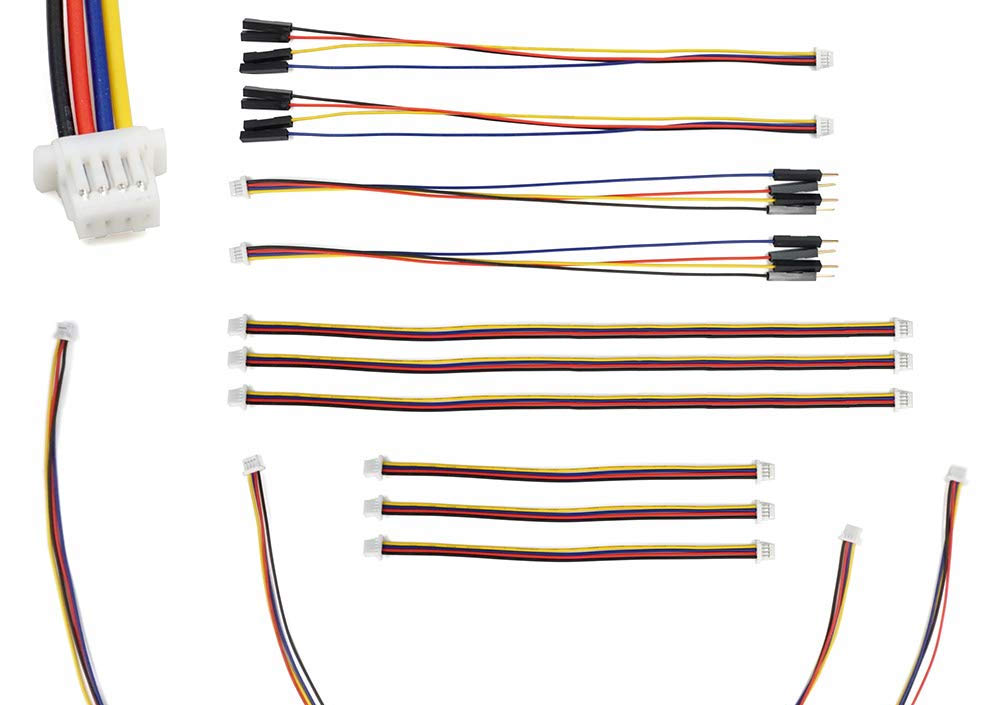
QWIIC cables are a popular choice for connecting various sensors and actuators to microcontrollers and other devices. They feature a 4-wire JST-SH connector on each end. One unique aspect of Qwiic cables is their asymmetrical orientation. One connector will typically be top-facing while the other is bottom-facing. This deliberate design choice helps with cable routing and prevents accidental misconnections, making it easier to create clean and organized setups.
python3-smbus2 library.
For Ubuntu: sudo apt install python3-smbus2
If your Linux distribution does not have the python3-smbus2 package, use pip3 to install package locally:
pip3 install smbus2
Sending one byte to I2C address 0x20 we can control all the peripherals on the device.
| bit | function | mask | description |
|---|---|---|---|
| 0 | PSEL_3V3_A | 0x01 | Powers on I2C Bus Voltage-Level Translator A |
| 1 | PSEL_3V3_B | 0x02 | Powers on I2C Bus Voltage-Level Translator B |
| 2 | SERIAL_RX_ON | 0x04 | Connects the RPIs RX to debug port RX |
| 3 | SERIAL_TX_ON | 0x08 | Connects the RPIs TX to debug port TX |
| 4 | PSEL_LIDAR | 0x10 | LIDAR Power ON |
| 5 | LIDAR_TX_ON | 0x20 | Connects the RPIs RX to Lidars TX |
| 6 | LIDAR_PWM_ON | 0x40 | Connects RPIs GPIO19 to Lidars PWM input |
When operating the ROSRider card in conjunction with the ROS2RPI card on a Raspberry Pi platform, the driver provides the capability to transmit commands to the ROS2RPI card. This functionality is particularly valuable for controlling peripheral devices, such as lidar units, during the driver initialization sequence. If the ROSRider card is deployed independently (standalone configuration), set this parameter to 0.
| Hat Command | Description |
|---|---|
| 0x00 | No Command |
| 0x0F | ROSRider ON, Serial Routed to DEBUG |
| 0x33 | ROSRider ON, LIDAR ON, Serial Routed to LIDAR |
Next Chapter: Python Code Samples
Copyright © 2026, ACADA Robotics • https://acada.dev